RDR2 on Steam Deck: Best Settings for OLED and LCD in 2026
RDR2 is playable on Steam Deck and 30 FPS remains the safest starting point. You can push toward 40 FPS and try 45 FPS on OLED, with dips in heavier areas.
- Steam
- Playable
- ProtonDB
- Gold
- Starting point
- 30 FPS
- 40 FPS
- With adjustments
- Confirmed
- Unconfirmed
What these labels mean
- Confirmed
Confirmed means the information comes from its owner: the studio, publisher, manufacturer or platform (Rockstar, Take-Two, Sony, Elgato, YouTube…).
- Unconfirmed
Unconfirmed is everything else: media reports, leaks, estimates, community reconstructions and our own deductions. A rumor remains unconfirmed even when many outlets repeat it.
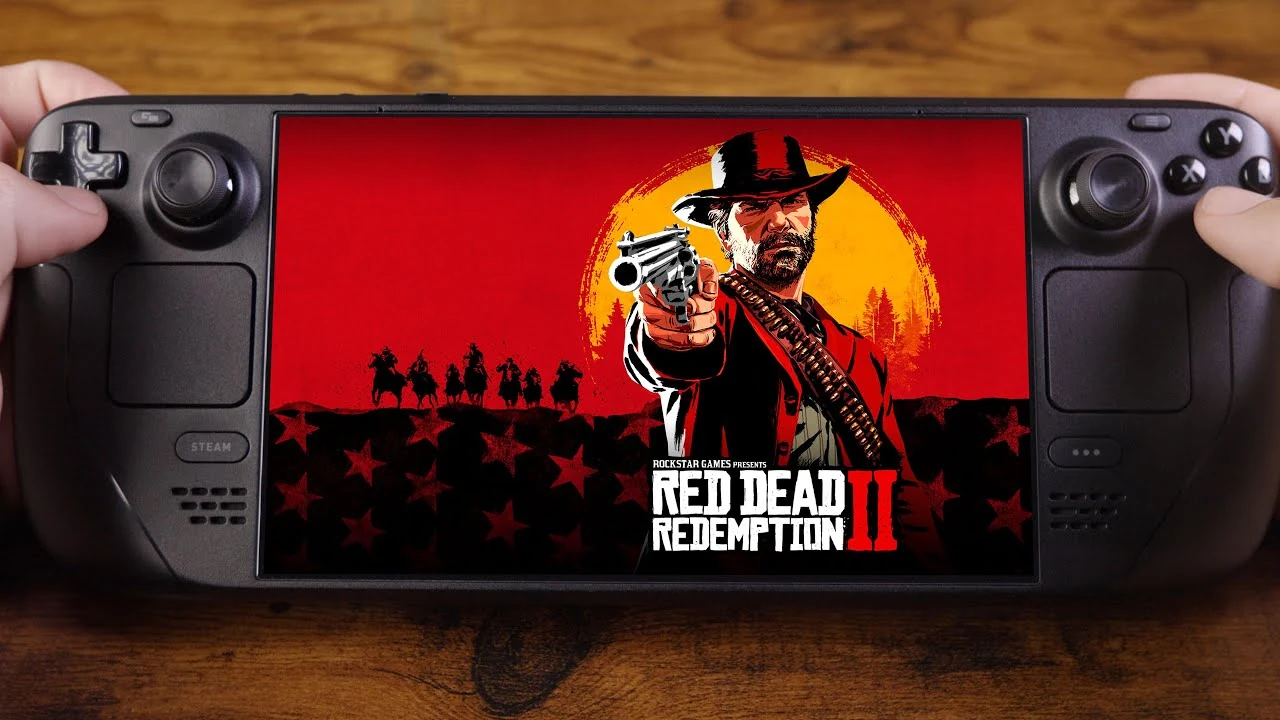
Red Dead Redemption 2 is playable on Steam Deck.
Steam rates it Playable, while ProtonDB currently carries a community Gold rating. External testing and recent user reports also line up around one useful starting point:
30 FPS is the safest target.
You can push toward 40 FPS and try 45 FPS on Steam Deck OLED. Cities, water and heavier scenes can still pull performance below those targets.
About this guide: Daykyri has not benchmarked RDR2 directly on Steam Deck yet. The settings and performance ranges below come from Steam, ProtonDB, specialist testing and recent user reports.
Quick answer
| Question | Answer |
|---|---|
| Does RDR2 work on Steam Deck? | Yes |
| Steam Deck compatibility | Playable |
| ProtonDB | Gold |
| Best starting target | 30 FPS |
| Can it run at 40 FPS? | Yes, with tuning |
| 45 FPS on OLED? | Possible; do not expect a perfect lock |
| Native 60 FPS? | Not a sensible general target |
| Resolution | 1280 × 800 |
| API | Vulkan |
| Textures | Ultra |
| FSR 2 | Quality when extra headroom is needed |
| Is GE-Proton required? | Try default Proton first |
| Has Daykyri benchmarked it? | Not yet |
Recommended 30 FPS settings
UnconfirmedThis is where I would start if you want to configure the game and play.
| Setting | Starting point |
|---|---|
| Resolution | 1280 × 800 |
| API | Vulkan |
| Frame-rate cap | 30 FPS |
| Textures | Ultra |
| Lighting | Medium |
| Shadows | Medium |
| Far Shadows | Low / Medium |
| SSAO | Medium |
| Reflections | Low |
| Volumetrics | Low |
| Tessellation | Low / Medium |
| Remaining settings | Low / Medium |
| Anti-aliasing | Try native TAA first |
| FSR 2 | Quality when you need more headroom |
Texture quality is one of the settings I would try to preserve.
Across the testing and reports reviewed, reflections, volumetrics and some shadow settings are more useful places to recover performance.
Start at native 800p with TAA.
Play.
If performance drops or you want lower power draw, try FSR 2 Quality.
This preset is built from external evidence. It is not a Daykyri benchmark.
Can RDR2 run at 40 FPS?
UnconfirmedYes.
To try it, keep:
- 1280 × 800;
- Vulkan;
- Ultra textures;
- low reflections and volumetrics;
- most other settings at Low/Medium;
- FSR 2 Quality when extra performance is needed.
On Steam Deck LCD, 40 FPS is the obvious next target after 30.
Heavier areas can still fall below it.
If those dips bother you more than the smoother response helps, cap the game at 30 and use the extra headroom elsewhere.
What about 45 FPS on Steam Deck OLED?
UnconfirmedExternal testing and recent OLED users also report results around 40–45 FPS.
A 45 FPS cap also fits neatly into the OLED model’s 90 Hz display.
Demanding sections remain the test.
Do not validate the setup with five minutes in open countryside.
Try it in:
- Saint Denis;
- water-heavy areas;
- combat;
- busy urban scenes.
That will tell you whether the profile actually works for you.
Steam Deck OLED vs LCD in RDR2
Steam Deck OLED gives you a better display, 90 Hz and longer battery life.
The raw performance increase is much smaller.
For RDR2, the OLED model mainly improves:
- image quality;
- battery life;
- useful frame-rate-cap options such as 45 FPS;
- display refresh.
On LCD, 30 FPS remains the easy choice and 40 FPS is worth testing if you want more responsiveness.
I would not buy the OLED model expecting a huge RDR2 frame-rate jump.
Which settings should you lower first?
If you need more performance, I would lower:
- reflections;
- volumetrics;
- far shadows;
- shadows;
- other secondary effects.
Then try FSR 2 Quality.
Keep texture quality high while memory and stability allow it.
Dropping everything to Low immediately can throw away image quality before you know which setting was actually expensive.
TAA or FSR 2?
Start with:
native 800p + TAA.
If it already reaches your target, keep it.
Try FSR 2 Quality when you want:
- more performance headroom;
- lower power draw;
- a better chance of reaching 40/45 FPS.
Judge the result on the Deck’s own display.
The winner in a magnified screenshot is not always the option you prefer while playing.
Do you need GE-Proton?
I would not install it as the first step.
Older Steam Deck guides used specific GE-Proton versions, but Proton, SteamOS and drivers have continued to change.
In 2026, use this order:
current default Proton → test RDR2 → change version only to solve a specific problem.
ProtonDB contains reports from users running the game without extra tinkering and others using GE-Proton.
There is no single alternative version everyone appears to need.
Rockstar Launcher can be the real problem
UnconfirmedRDR2 may perform properly while the launcher stops you before the menu.
Recent reports mention issues involving:
- Rockstar Launcher;
- login;
- cloud saves;
- suspend/resume;
- occasional failed launches.
If the game ran yesterday and refuses to start today:
check the launcher, login state and Proton first.
Changing shadow quality will not fix a launch problem.
There is also at least one recent community report sharing a Rockstar support response that treated Steam Deck/Linux as a setup dependent on Proton/Valve compatibility.
That is one community case, not evidence that every player will encounter the same problem.
Saint Denis is a better test than open countryside
RDR2’s load changes considerably by location.
Recent ProtonDB and community reports repeatedly mention heavier situations such as:
- Saint Denis;
- cities;
- water;
- combat;
- busy scenes.
If you are validating a 40 or 45 FPS setup, test somewhere demanding too.
Five minutes riding across an empty field will not show you the worst case.
Battery life
UnconfirmedI would not publish one universal number.
Battery life changes with:
- LCD vs OLED;
- brightness;
- frame-rate cap;
- TDP;
- FSR;
- graphics load;
- battery condition.
Some recent LCD users report roughly two hours with demanding configurations.
More efficient OLED setups can last considerably longer, especially at 30 FPS with lower power limits.
Treat those as community ranges.
Daykyri has not yet measured RDR2 battery life, power draw or temperature directly.
Can RDR2 run at 60 FPS?
UnconfirmedI would not use native 60 FPS as a normal Steam Deck target.
There are community reports showing 60–80 FPS with Lossless Scaling and frame generation.
Those figures need context.
Some of the visible frames are generated.
So:
60–80 FPS with frame generation is not the same as RDR2 rendering 60–80 native FPS.
It may still feel useful if you like the result.
Keep those numbers separate from native 30, 40 and 45 FPS profiles.
What is confirmed, reported and still untested?
| Evidence | What we can say |
|---|---|
| Confirmed | Steam rates RDR2 Playable |
| Community aggregate | ProtonDB currently rates it Gold |
| Cross-source consensus | 30 FPS is a viable target |
| Testing + community | 40–45 FPS can be reached with tuning, with dips in heavy areas |
| Community | Rockstar Launcher still causes problems for some users |
| Community | Lossless Scaling/frame-generation results exist |
| Not measured by Daykyri | Minimum FPS, 1% lows, frametimes, battery life, power draw, temperature and exact LCD/OLED differences |
Which setup would I use?
For the simple option:
1280 × 800 → Vulkan → 30 FPS → Ultra textures → Medium/Low elsewhere.
If you want more responsiveness:
lower reflections and volumetrics → try FSR 2 Quality → target 40 FPS.
On OLED:
try 45 FPS if occasional dips do not bother you.
You do not need a secret preset.
You need a profile that survives the parts of the game you actually notice.
Frequently asked questions
Does RDR2 work on Steam Deck?
Yes. Steam rates it Playable.
What is its ProtonDB rating?
It currently has a community Gold rating.
What frame rate should I target?
30 FPS is the safest recommendation from the external testing and reports reviewed.
Can it run at 40 FPS?
Yes, with tuning. Heavy areas can fall below that target.
What about 45 FPS on Steam Deck OLED?
It is possible according to external testing and recent users. I would not treat it as a perfect lock across the entire game.
Is Steam Deck OLED much faster than LCD?
The performance gain is modest. The display, 90 Hz refresh and battery life are larger advantages.
Do I need GE-Proton?
Not necessarily. Start with the default Proton version.
Which settings should I lower first?
Reflections and volumetrics before aggressively cutting texture quality.
Is FSR 2 worth using?
Quality mode can provide extra performance or power headroom. Try native TAA first and compare.
Can RDR2 run at 60–80 FPS?
Community reports show those figures with Lossless Scaling frame generation. They are not native frame rates.
Has Daykyri tested these settings directly?
Not yet. This version is based on official compatibility data, external testing and recent community evidence.
More Red Dead Redemption 2 guides
What to do in Chapter 2 before moving on
RDR2 100% completion checklist
RDR2 full Compendium checklist
Sources
Steam Store — Red Dead Redemption 2 Steam Deck compatibility
ProtonDB — Red Dead Redemption 2 on Steam Deck
SteamDeckHQ — Red Dead Redemption 2
Reddit / r/SteamDeck — recent Steam Deck OLED performance, July 2026
Reddit / r/SteamDeck — recent Rockstar Launcher issue, June 2026
Reddit / r/SteamDeck — RDR2 with Lossless Scaling frame generation
Reddit / r/SteamDeck — RDR2 battery experience, January 2026
Last verified: October 5, 2026.