Best Mic Arm for the Shure SM7B: PSA1+ vs Elgato Wave
The SM7B weighs 764 g and fits all three arms. The real decision is where you want the boom to live: above the desk with more vertical freedom or below your monitors.
- PSA1+
- 94 g–1.2 kg
- Wave Mic Arm LP
- Up to 2 kg
- Wave Mic Arm
- 250–1,000 g
- Check
- Load and clamp
Contains affiliate links: if you buy through them, Daykyri earns a commission at no extra cost to you.
The Shure SM7B weighs 764 g / 1.68 lb.
That is well within the official range of several good boom arms, including:
- RØDE PSA1+
- Elgato Wave Mic Arm LP
- Elgato Wave Mic Arm
The important decision is usually not raw weight capacity.
It is where you want the arm to live on your desk.
Quick answer
| Mic arm | Official load | Style | Best fit |
|---|---|---|---|
| RØDE PSA1+ | 94 g–1.2 kg | Traditional/high-profile | Lots of movement and vertical positioning |
| Elgato Wave Mic Arm LP | Up to 2 kg | Low-profile | Under-monitor setups and clean camera framing |
| Elgato Wave Mic Arm | 250–1,000 g | Traditional/high-profile | Elgato setup with large vertical reach |
The SM7B fits inside the official weight range of all three.
RØDE PSA1+: traditional broadcast movement
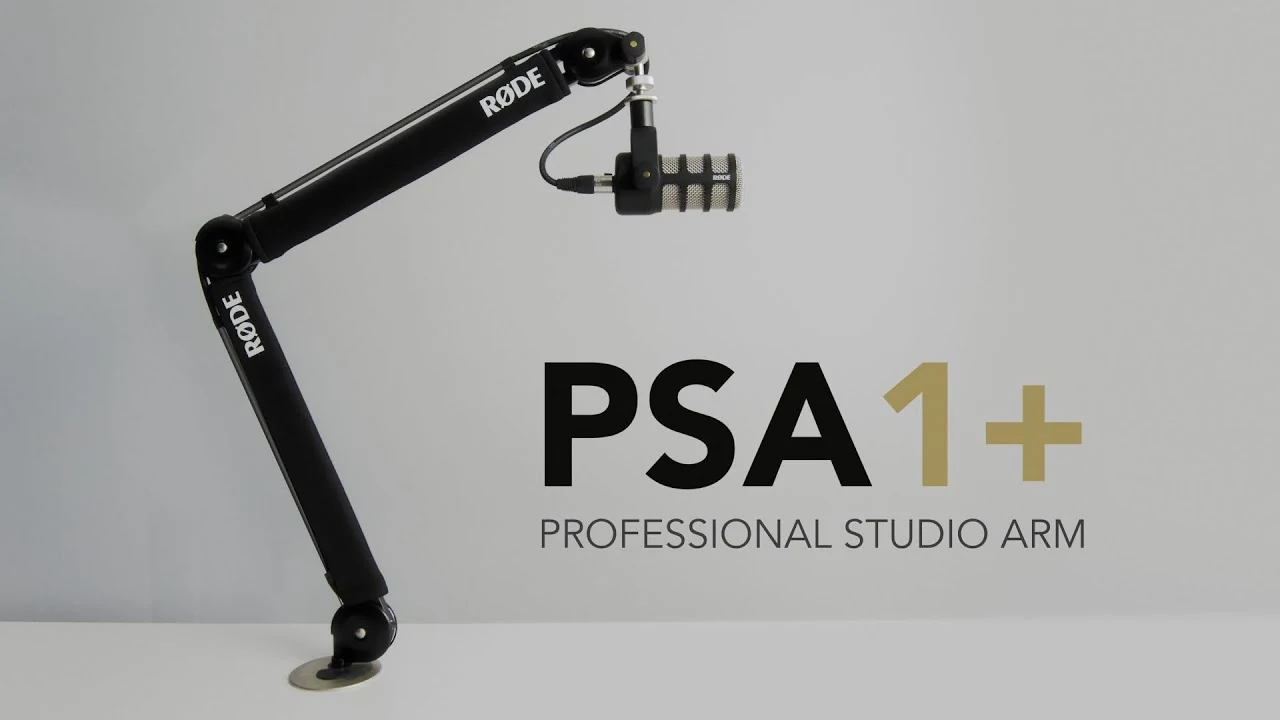
Raised RØDE PSA1+ arm with a microphone attached.
RØDE rates the PSA1+ for microphones weighing:
94 g to 1.2 kg.
The SM7B sits comfortably inside that range.
The PSA1+ includes:
- internal damped springs;
- parallelogram movement;
- shock isolation;
- integrated USB/XLR cable management;
- 360-degree rotation;
- desk clamp and threaded desk mount.
Its main advantage is movement.
You can bring the microphone in from above or from the side, adjust its height quickly and push it out of the way when you finish.
I would choose the PSA1+ if…
You:
- move the microphone frequently;
- want strong vertical freedom;
- record voice as well as stream;
- change posture during long sessions;
- like the classic broadcast-arm layout.
Check your monitor and camera position first.
A traditional arm occupies space above the desk.
Elgato Wave Mic Arm LP: keep it below the monitors
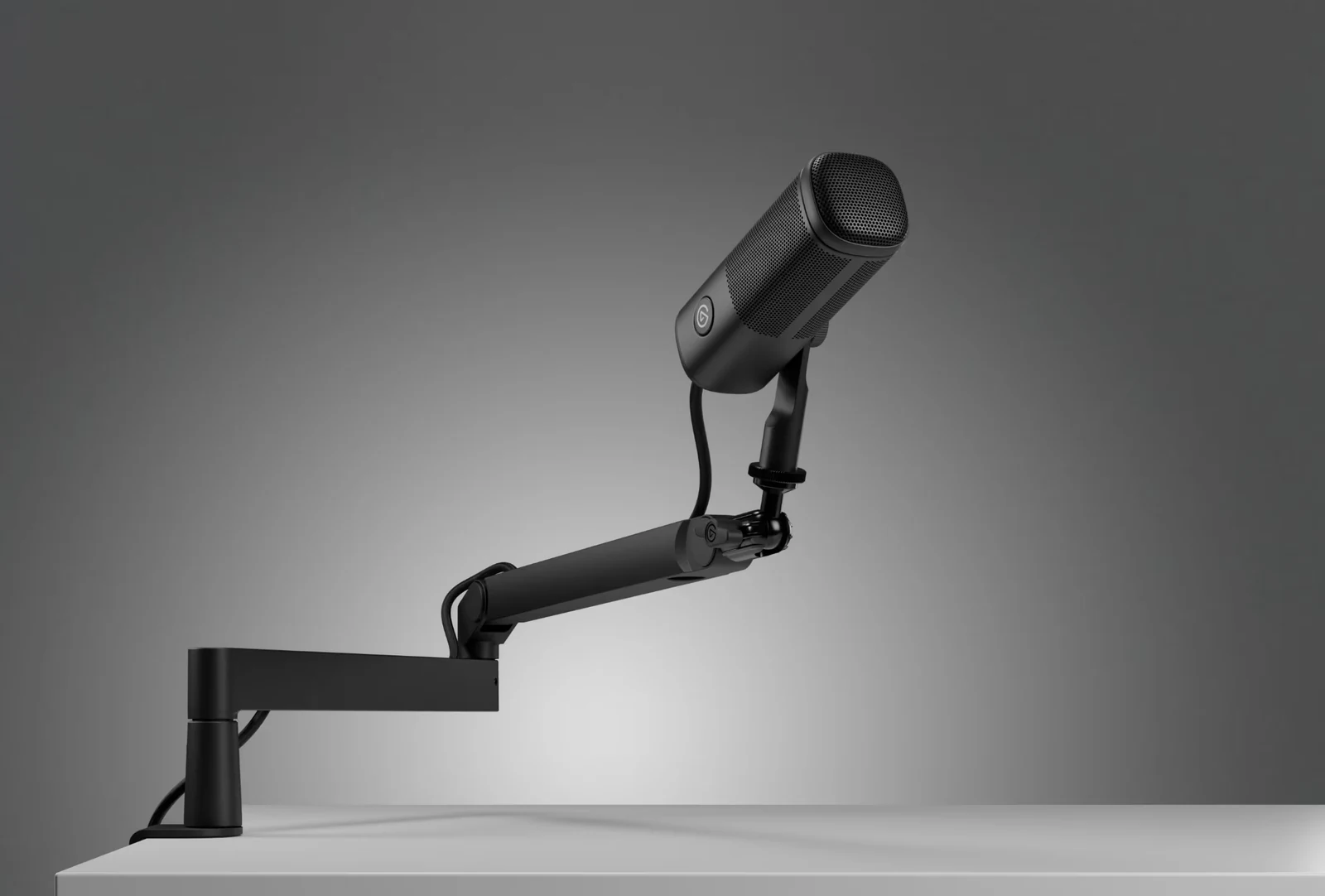
Low-profile Elgato Wave Mic Arm LP mounted on a desk.
Elgato rates the Wave Mic Arm LP for:
up to 2 kg / 4.4 lb.
It also specifies:
- 740 mm horizontal reach;
- desk clamp for surfaces up to 60 mm thick;
- 360-degree horizontal rotation at the base and elbow;
- +90°/-60° vertical movement;
- integrated cable channels.
The SM7B is far below its maximum stated load.
The useful difference is the geometry.
The arm stays low.
Search Amazon for Elgato Wave Mic Arm LP
I would choose the Wave LP if…
Your desk has:
- multiple monitors;
- a camera above the display;
- lights around the screen;
- limited visual space;
- a strong preference for keeping the arm out of the camera frame.
It can travel under the monitor and bring the SM7B up to your mouth from below.
One owner-reported issue to know about
Some owners using relatively heavy microphones report needing to tighten the Wave LP joints firmly to stop slow sagging.
That is owner experience, not proof of a universal defect.
The SM7B is still well below Elgato’s official 2 kg maximum.
Set the joint tension correctly before judging the arm.
Elgato Wave Mic Arm
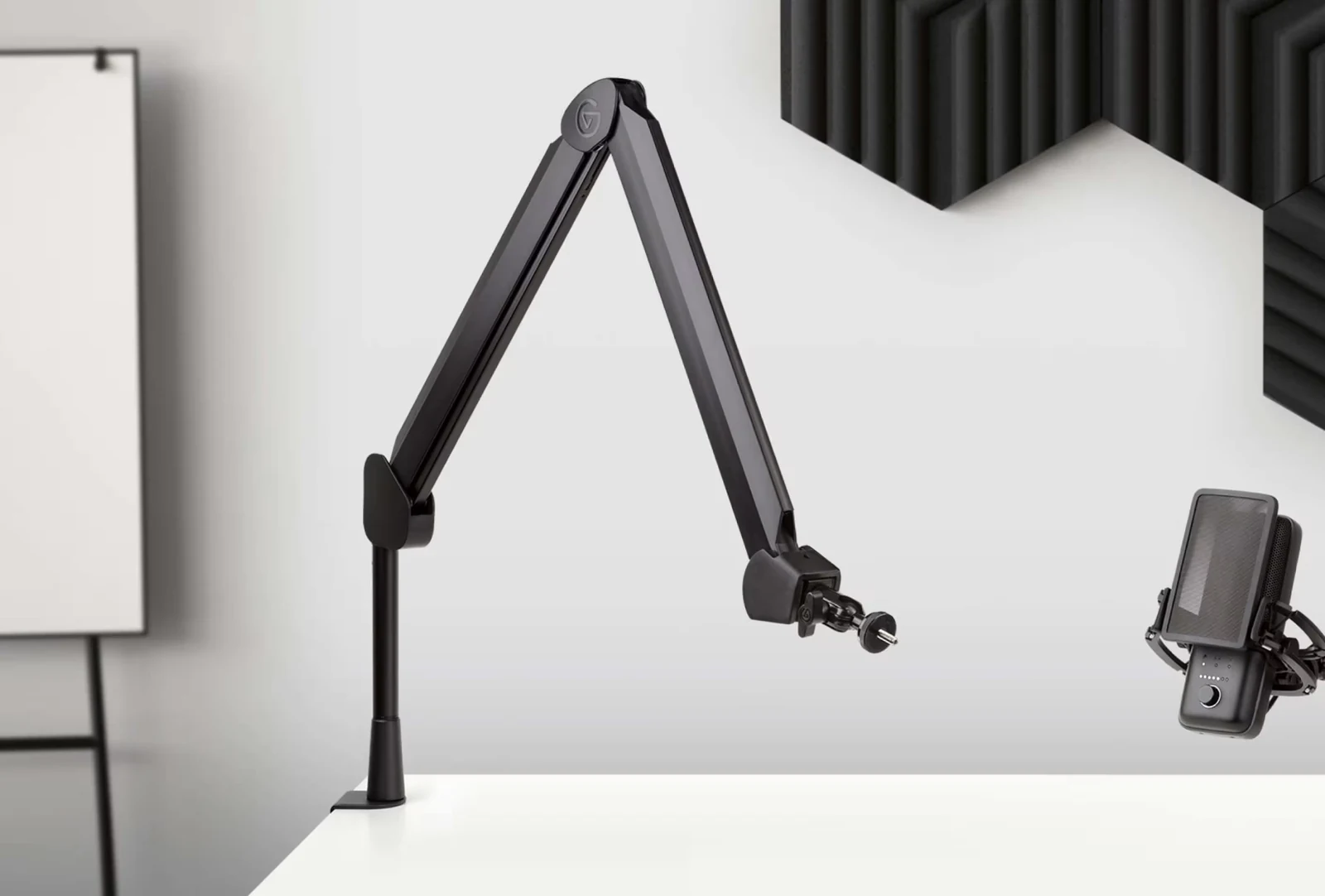
Raised Elgato Wave Mic Arm with joints and desk clamp.
The standard high-profile Elgato arm has an official weight range of:
250–1,000 g.
The SM7B weighs 764 g.
It fits.
Elgato also specifies:
- 780 mm horizontal reach;
- 750 mm vertical reach;
- clamp compatibility up to 60 mm.
It provides less load headroom than the LP.
That alone does not make it worse.
Search Amazon for Elgato Wave Mic Arm
Why maximum load does not pick the winner
Suppose one arm supports 2 kg.
Another supports 1.2 kg.
Your microphone weighs 764 g.
Both already pass the basic requirement.
Now the more useful questions are:
- Does it clear your monitor?
- Can it move where your mouth actually is?
- Does it transmit desk noise?
- Can it hold position?
- Does the XLR cable move cleanly?
- Does the arm block your camera?
A larger number on the box cannot answer those.
High-profile vs low-profile
This is the comparison I would make first.
High-profile arm
Example:
RØDE PSA1+
Strengths:
- large vertical range;
- very flexible positioning;
- traditional podcast/radio layout;
- easy to push completely away.
Trade-offs:
- more visible;
- can cross your camera frame;
- occupies airspace around the monitor.
Low-profile arm
Example:
Elgato Wave Mic Arm LP
Strengths:
- cleaner sightline;
- runs below many monitors;
- particularly useful for camera-based streaming setups.
Trade-offs:
- different vertical geometry;
- needs enough room around the monitor and desk edge;
- joint tension matters with heavier microphones.
Check the desk clamp
Elgato rates both Wave arms for desktops up to:
60 mm thick.
Thickness is only half the check.
Look underneath your desk.
A 30 mm top can still reject the clamp if the mounting point contains:
- a steel frame;
- cable tray;
- drawer;
- support beam.
Measure the actual mounting area.
Remember the XLR cable
The SM7B uses XLR.
The arm needs to move without pulling on that connector.
All three arms provide cable-management options.
Leave some slack near the joints.
A perfectly tidy cable that becomes tight every time you move the mic is not well managed.
What about cheap mic arms?
Some will hold 764 g perfectly well.
The harder questions are:
- Will the joints hold position six months later?
- Does touching the desk travel into the microphone?
- Is the clamp solid?
- Does the arm bounce after repositioning?
- Can it hold the exact position you want?
If those answers are good, price alone is not a problem.
Where should the arm mount?
Single-monitor desk
Either style can work.
Mount it on the side that interferes least with your mouse, keyboard and camera.
Dual-monitor setup
Low-profile designs become especially useful.
They can travel below the displays instead of crossing them.
Camera-based streaming setup
Check the shot before buying.
Put your phone where the camera will sit.
Imagine the arm in its working position.
The best mic arm for your desk is the one that can put the SM7B where you need it without becoming the main character in the frame.
My picks
RØDE PSA1+ if…
You want:
- traditional boom-arm movement;
- lots of vertical freedom;
- easy repositioning.
Elgato Wave Mic Arm LP if…
You want:
- a clean desk sightline;
- under-monitor movement;
- a camera-friendly setup;
- lots of load headroom.
Elgato Wave Mic Arm if…
You want:
- a high-profile Elgato arm;
- lots of vertical reach;
- an arm whose official range still comfortably includes the SM7B.
Buying mistakes
Do not choose a boom arm only because:
- it supports the highest weight;
- it matches your desk;
- a streamer owns it;
- an online listing says “SM7B compatible.”
Start with:
position.
Then:
movement.
Then:
stability.
Weight capacity only needs to cover the microphone and the accessories you actually intend to attach.
Frequently asked questions
How much does the Shure SM7B weigh?
Shure specifies 764 g / 1.68 lb.
Can the RØDE PSA1+ hold an SM7B?
Yes.
RØDE rates it for 94 g to 1.2 kg.
Can the Elgato Wave Mic Arm LP hold an SM7B?
Yes.
Elgato rates it for up to 2 kg.
PSA1+ or Wave Mic Arm LP?
Choose the PSA1+ for traditional high-profile movement and greater vertical freedom.
Choose the Wave LP when you want the arm below your monitors and out of the camera sightline.
Does the normal Elgato Wave Mic Arm support an SM7B?
Yes.
Its official range is 250–1,000 g.
Do I need a 2 kg arm for the SM7B?
No.
You need enough capacity for the microphone and anything else mounted to the arm.
Are cheap arms bad for the SM7B?
Not automatically.
Check joint tension, mechanical noise, clamp quality and long-term stability.
More gear and creator guides
Audio interface for streaming and podcasting
Standing desk for streaming and editing
Sources
Elgato — Wave Mic Arm LP Specifications
Reddit / r/elgato — Wave Mic Arm LP with SM7B: tension and sag