Blackmagic Camera Is a Free Manual Video App for iPhone and Android
Blackmagic brings an interface inspired by its cinema cameras to mobile. The free app lets you set frame rate, shutter angle, ISO, white balance and other recording controls.
- Price
- FREE
- Platforms
- IOS + ANDROID
- Controls
- ISO + SHUTTER
- Workflow
- DAVINCI RESOLVE
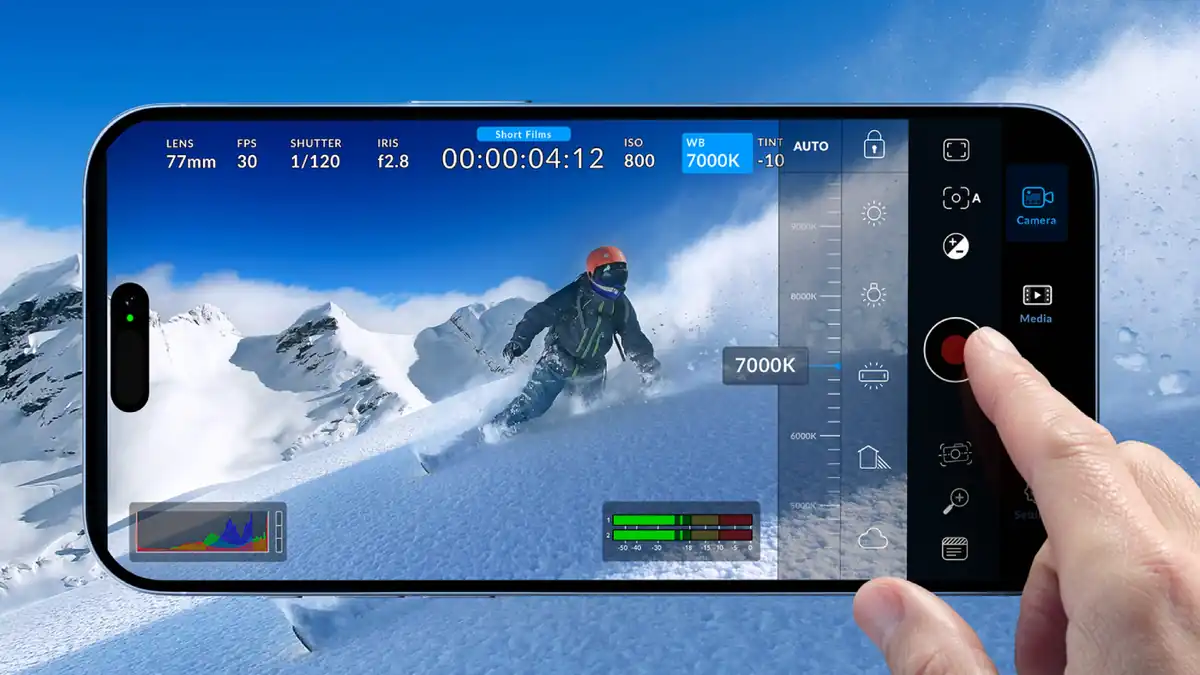
Blackmagic Camera brings an interface inspired by Blackmagic’s cinema cameras to supported phones and tablets. The app is free and provides direct control over settings including frame rate, shutter angle, ISO and white balance.
Blackmagic Camera is free
Blackmagic Design offers Blackmagic Camera as a free app for iPhone and iPad, plus selected compatible Android devices.
The interface carries some of the visual language and controls used by Blackmagic’s dedicated cameras.
What you can control
The app lets you set frame rate, shutter angle, ISO and white balance directly.
Locking values between shots is useful when several clips need to live in the same edit without automatic exposure or color changes between takes.
It connects to DaVinci Resolve
Blackmagic Camera can integrate with Blackmagic Cloud and DaVinci Resolve, reducing the gap between capture, transfer, organization and editing.
For creators who already work in Resolve, that connection can matter more than a long list of in-app filters.
ProRes 10-bit 4K on compatible iOS hardware
Blackmagic’s technical specifications list 10-bit 4K ProRes recording on compatible iOS devices.
“Compatible” matters: installing the app does not guarantee that every phone can record every codec, resolution or frame rate shown across the platform.
Android varies by device
On Android, codec, resolution, frame-rate and feature availability can differ between supported phones.
A Galaxy, Pixel and another Android device should not be assumed to expose exactly the same recording options. Check the specific model.
Blackmagic Camera vs the native camera app
The native camera remains useful when speed matters most. Blackmagic Camera becomes more relevant when you want to lock white balance, exposure, shutter behavior or frame rate before taking the footage into an edit.
Blackmagic Camera vs Final Cut Camera
Both apps address a similar problem: giving a phone more manual video control.
Final Cut Camera fits naturally into Apple’s ecosystem. Blackmagic Camera connects directly to Blackmagic Cloud + DaVinci Resolve and is also available on compatible Android hardware.
Where you plan to edit can be the first deciding factor.
More recording and editing guides
See our DaVinci Resolve export settings for YouTube and the phone Daykyri uses for mobile content.
Sources
Blackmagic Design — Blackmagic Camera
Blackmagic Design — technical specifications
Last verified: October 6, 2026.