GTA 6 monitor: three picks for playing at your desk
If GTA 6 sticks to 30 FPS, a 144 or 240 Hz monitor won't make extra frames; resolution, the panel and what you play next matter more.
Contains affiliate links: if you buy through them, Daykyri earns a commission at no extra cost to you.
If GTA 6 is going to live on a desk, start with what’s in front of you: 27 or 28 inches. Inside that: 1440p or 4K.
144 and 240 Hz really start earning their keep when you hook up a PC or launch a game that actually pushes more frames. The one figure that has leaked about GTA 6 points to 30 FPS on console.
After visiting Rockstar North, Davy Jones said Rob Nelson, the studio’s co-head, told him the game was running at that rate during development, as reported by VGC.
Rockstar still hasn’t published the final resolution or graphics modes for each console.
What to look for in a GTA 6 monitor
At desk distance, you notice resolution right away.
At 27 inches, 1440p gives you a sharp image and leaves room for high refresh rates with a PC. A 4K panel packs more pixels into a similar space and makes better use of the PS5 and Xbox Series X output when you’re after detail.
Then, refresh rate.
If the console delivers 30 new images per second, a panel can refresh 240 times, but it won’t turn those 30 images into 240. The extra hertz go to work when you open another game at 120 FPS or plug in a PC that can deliver more.
HDMI 2.1 matters most in that second scenario: it allows 4K signals at 120 Hz and VRR on compatible hardware. For GTA 6 at 30 FPS, I wouldn’t buy a monitor just because it carries that label.
Before you pay, check the speakers too. Many monitors have none; others include them as a stopgap. If you’ll be playing without external sound, the GTA 6 headset guide covers that part.
If you’ll be playing from the couch and want a much bigger screen, the GTA 6 TV guide is a better fit.
Budget: Asus TUF Gaming VG289Q
28 inches. 4K. 60 Hz.
TechRadar picks it as its best budget monitor for PS5 in its guide updated on August 26, 2026.
Its play is right up front: 3840 × 2160 pixels on a screen that’s cheap for 4K.
It has two HDMI 2.0 ports and tops out at 60 Hz. If GTA 6 runs at 30 FPS, neither limit cuts into the frames the game produces.
The cut shows up somewhere else: TechRadar warns that its HDR is simulated. Here the money goes mostly to resolution; you’re not buying OLED blacks or high-end HDR.
If you sit close and would rather spend on pixels than on hertz, the list starts here.
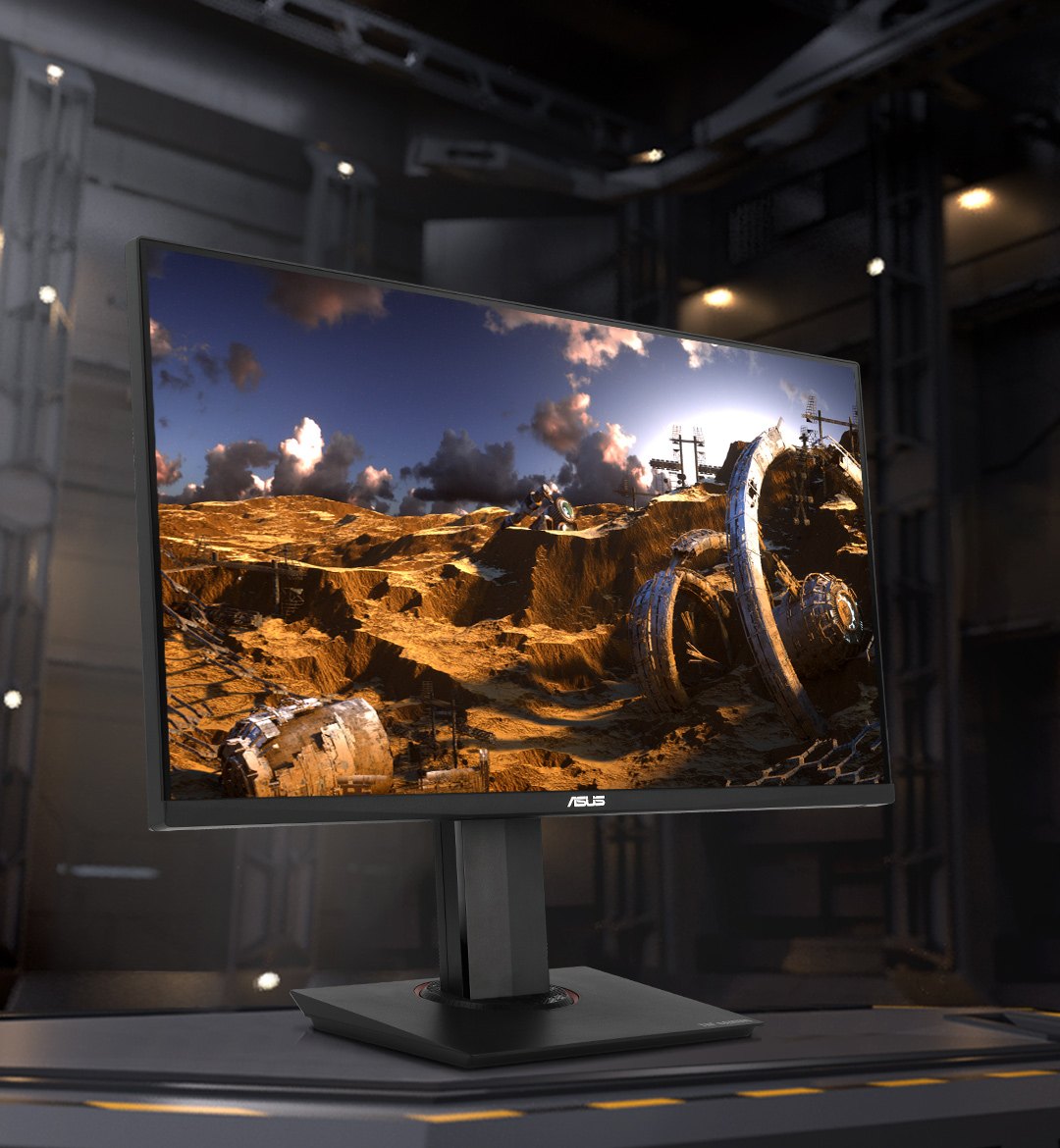
See Asus TUF Gaming VG289Q on Amazon.
Mid-range: Lenovo Legion Y27qf-30
This is the monitor Daykyri uses.
27 inches, 2560 × 1440 and 240 Hz. Lenovo lets you overclock it to 250 Hz and lists 400 nits of brightness and two built-in 3 W speakers.
Over HDMI: 1440p at 144 Hz. PS5 and Xbox fit in there. The 240 Hz is reserved for DisplayPort and a PC that can use it.
In GTA 6, that 240 Hz doesn’t create frames the console isn’t generating. Fire up a competitive shooter on PC afterward and the story changes.
The comparison with the Asus is pretty clean: the Asus puts the money into 4K; the Lenovo drops to 1440p and puts it into refresh rate.
The less GTA 6 is the only thing living on that screen, the more sense it makes.
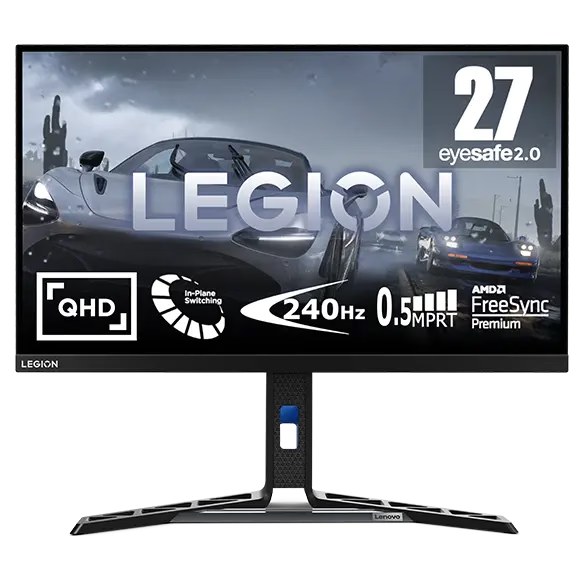
See Lenovo Legion Y27qf-30 on Amazon.
High end: ASUS ROG Swift OLED PG27UCDM
27 inches. 4K. QD-OLED. 240 Hz.
RTINGS lists it among its recommendations for PS5, PS5 Pro and Xbox Series X|S. On console it accepts signals up to 4K at 120 Hz over HDMI 2.1; the full 240 Hz is mainly meant for PC.
For GTA 6, one of those figures and acronyms carries extra weight: OLED.
One pixel switches off. The one next to it stays lit. That’s where black comes from.
Night, neon, dark interiors, headlights on wet asphalt: in scenes like these, OLED stops being a word on the spec sheet and shows up on the screen.
ASUS lists two HDMI 2.1 ports, DisplayPort 2.1, HDR10, Dolby Vision and a 0.03 ms response time.
After 4K, OLED and 240 Hz, you check the audio section: no speakers. If it’s going to be the only screen on your desk, leave room for a headset or external sound.
As with any OLED, long stretches of static elements deserve some attention. ASUS builds in several measures to reduce the risk of burn-in and offers a three-year warranty that covers panel burn-in.
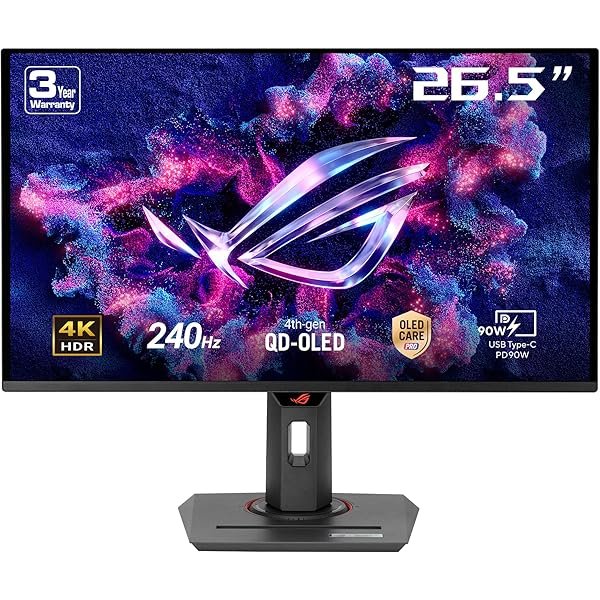
See ASUS ROG Swift OLED PG27UCDM on Amazon.
Which one to pick
Asus TUF: 4K up front, 60 Hz behind it. Of these three, it’s the cheapest way to put 4K on your desk.
The Lenovo trades one thing for another: it drops from 4K to 1440p and climbs from 60 to 240 Hz. If the monitor will also work with a PC, those hertz have somewhere to go. It’s also the model Daykyri uses.
4K. OLED. 240 Hz. The ROG packs all three into 27 inches. In GTA 6, the money works mostly in the panel; the 240 Hz waits its turn for other games.
Already have a 4K or 1440p monitor that works well for you? Leave it on the desk. Rockstar still hasn’t published a GTA 6 spec that would force you to replace it.
If you haven’t picked what you’re plugging in yet, the best console for GTA 6 guide covers prices and what’s confirmed for PS5 and Xbox Series.
What isn’t confirmed
Four consoles. Zero official resolutions published by Rockstar.
60 FPS: unconfirmed. Final HDR: no details.
PlayStation Store lists GTA 6 as “PS5 Pro Enhanced.” What that changes: still unknown.
When Rockstar publishes the final graphics modes, we’ll update this guide.
This guide is part of GTA 6 gear, which collects the guides on consoles, TVs, storage, controllers, audio and streaming.
Primary sources: Lenovo, Legion Y27qf-30 specifications; ASUS, ROG Swift OLED PG27UCDM specifications and warranty.
Secondary sources: VGC for the performance statements; TechRadar for the Asus TUF Gaming VG289Q; RTINGS for the ASUS ROG Swift OLED PG27UCDM.
Last checked: September 27, 2026.