Video Editing Keyboard: Do You Actually Need a Special One?
A normal keyboard with strong shortcuts can be extremely fast. Dedicated hardware becomes useful when jog, trim and other physical controls match work you repeat for hours.
- General use
- MX Keys S
- Editing controls
- Speed Editor
- Dedicated keyboard
- Editor Keyboard
- Before buying
- Software and shortcuts
Contains affiliate links: if you buy through them, Daykyri earns a commission at no extra cost to you.
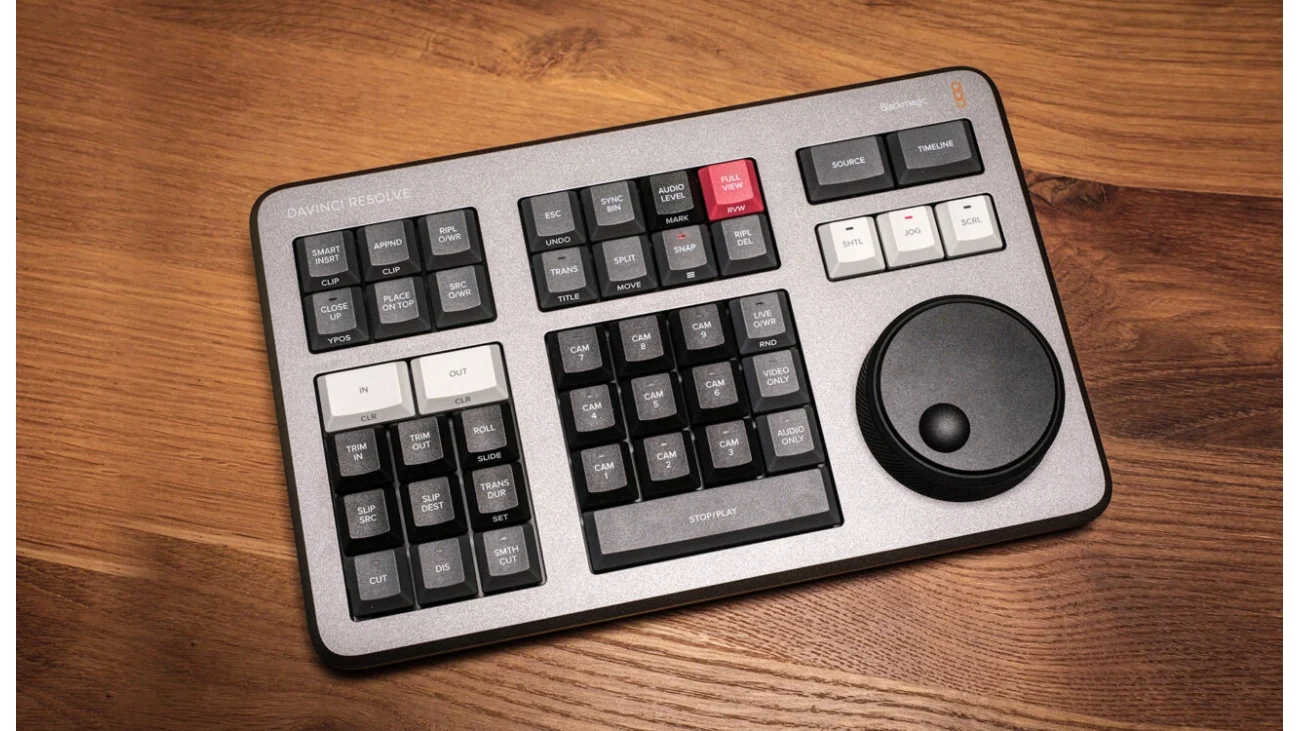
You do not need a dedicated editing keyboard to edit video quickly.
A normal keyboard with good shortcuts can take you very far.
Specialized hardware starts making more sense when you repeatedly:
- trim;
- scrub;
- move through timelines;
- switch cameras;
- search footage;
- play and stop;
- navigate frame by frame.
The useful question is:
Which repeated action are you trying to make easier?
Quick answer
| Option | What it is | Best fit |
|---|---|---|
| Logitech MX Keys S | General configurable keyboard | Editing plus normal computer work |
| DaVinci Resolve Speed Editor | Editing control surface | Resolve, Cut Page and multicam |
| DaVinci Resolve Editor Keyboard | Full editing keyboard | Heavy Resolve workflows |
Do you need a special editing keyboard?
No.
Premiere Pro already lets you:
- remap shortcuts;
- save layouts;
- create presets;
- move
.kysfiles between systems.
A regular keyboard can become highly specialized through software.
Hardware becomes interesting when you want physical controls that a standard keyboard does not provide.
Logitech MX Keys S
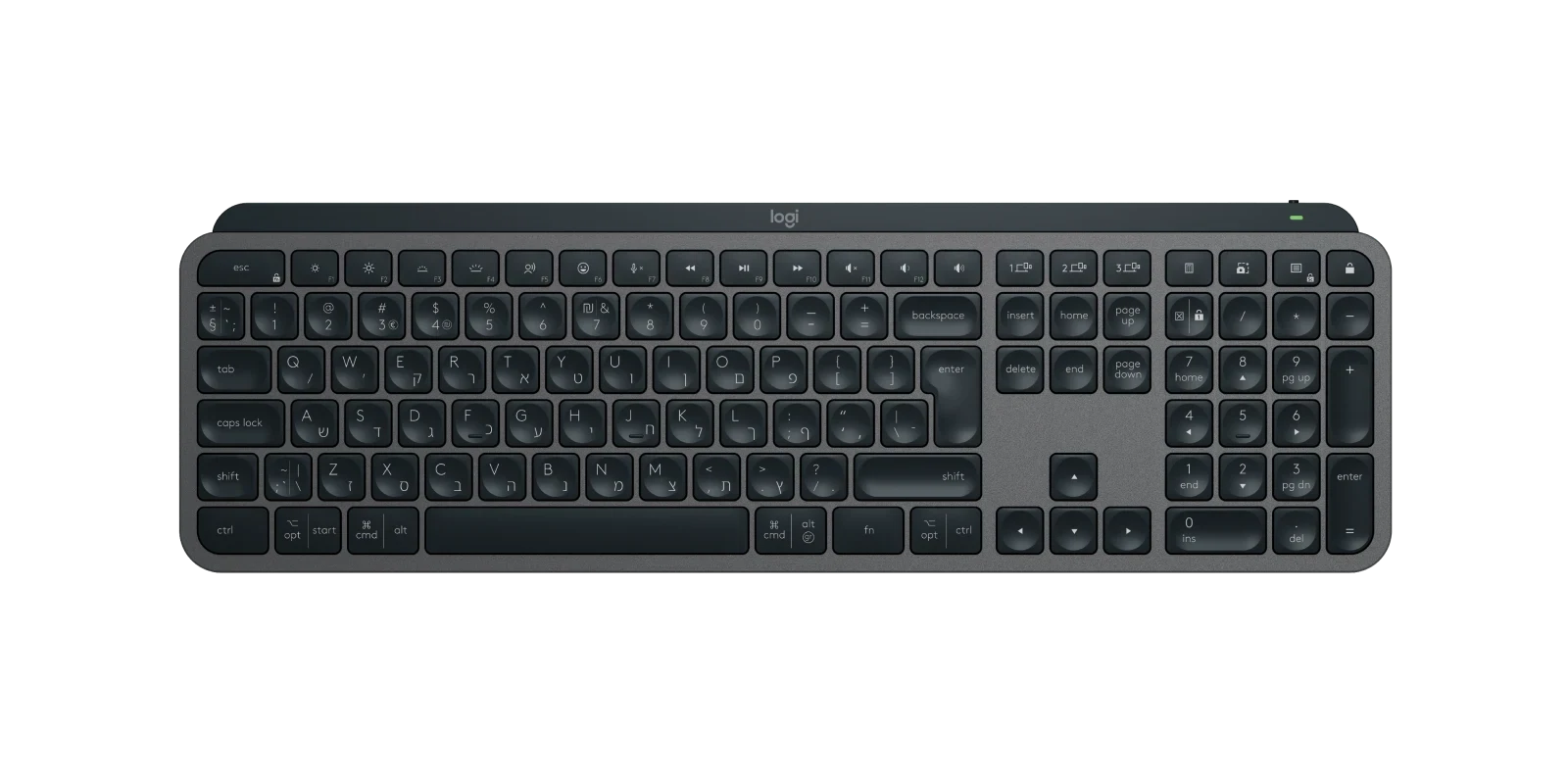
Logitech MX Keys S keyboard with numeric keypad.
Logitech specifies:
- scissor-switch keys;
- 1.8 mm key travel;
- approximately 810 g weight;
- pairing with up to three devices;
- programmable Fn keys through Logi Options+;
- Smart Actions;
- up to 10 days battery life with backlighting;
- up to 5 months without backlighting.
It is still a normal full keyboard.
That is also its biggest strength.
Search Amazon for Logitech MX Keys S
Who it suits
If your day includes:
- Premiere;
- Resolve;
- Photoshop;
- scripts;
- email;
- browser work;
- documents;
one general-purpose keyboard keeps the whole desk simpler.
Customize the workflow
Premiere gives you extensive shortcut control.
Start with actions you already use constantly.
For example:
- Add Edit;
- Ripple Delete;
- Trim to Playhead;
- Play/Pause;
- Previous/Next Edit;
- timeline zoom.
Change a handful.
Use them for a week.
Keep what becomes automatic.
DaVinci Resolve Speed Editor
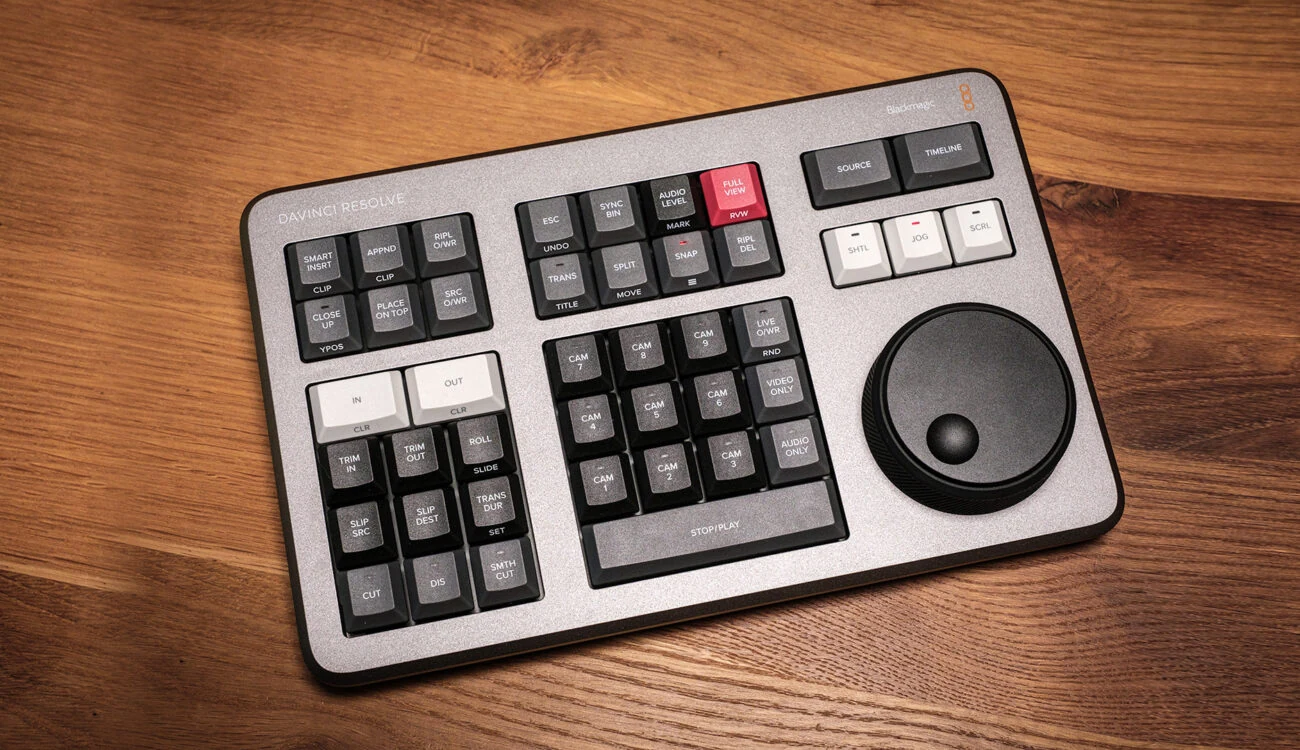
DaVinci Resolve Speed Editor with editing keys and jog wheel.
Speed Editor is a dedicated Resolve control surface.
Blackmagic currently lists it at:
€345
and includes:
DaVinci Resolve Studio.
Connectivity includes:
- USB-C;
- Bluetooth.
Power consumption is approximately:
4 W.
Its most obvious feature is the large search/jog control.
It also has dedicated editing keys.
Search Amazon for DaVinci Resolve Speed Editor
It does not replace your full keyboard
You still need normal typing for:
- titles;
- search;
- metadata;
- naming;
- text entry.
Speed Editor normally sits beside your keyboard.
The jog wheel
This is where much of its value lives.
A physical search dial can make it easier to:
- review takes;
- find an exact frame;
- move through source footage;
- trim;
- navigate long recordings.
For certain workflows, this feels much more direct than repeated mouse movement.
Cut Page and multicam
Speed Editor is closely tied to Resolve’s Cut Page philosophy.
Users who love it often highlight:
- jog navigation;
- source review;
- multicamera editing;
- Cut Page workflows.
Editors who already have highly optimized shortcuts and spend most of their time in Edit Page sometimes get less benefit.
Will it make you faster?
Maybe.
The controller itself does not create speed.
It helps when the hardware matches actions you already perform constantly.
The Resolve Studio bundle changes the price
Blackmagic currently lists:
DaVinci Resolve Studio
€255
Speed Editor including Studio
€345
That is roughly a:
€90 difference
for someone who was already planning to buy Studio.
Prices can change.
Check the current official store before buying.
DaVinci Resolve Editor Keyboard
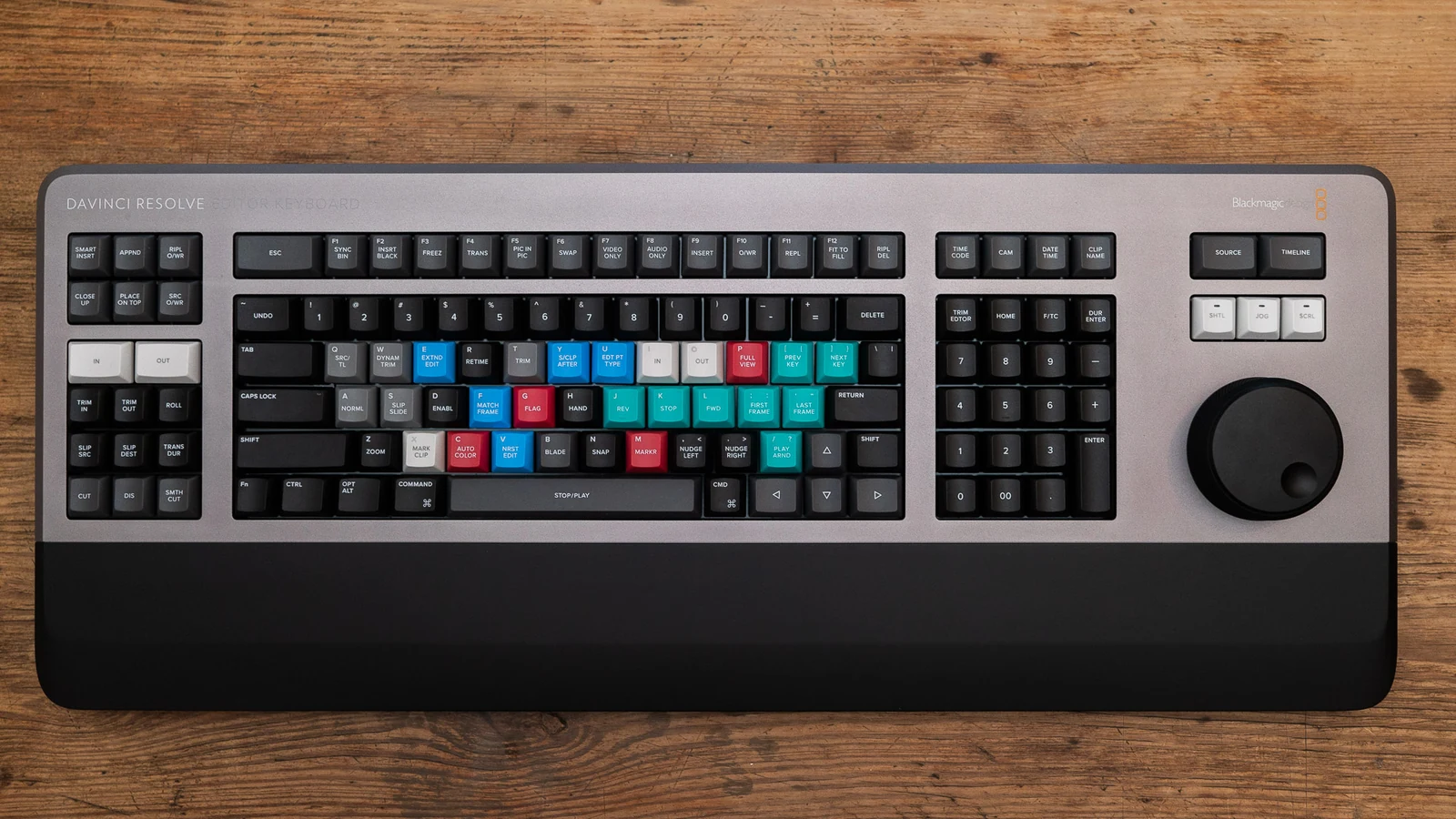
DaVinci Resolve Editor Keyboard with colored keys and jog wheel.
Editor Keyboard goes further.
Blackmagic currently lists it at:
€525
and it also includes Resolve Studio.
It provides:
- full QWERTY keyboard;
- clutch-based jog control;
- dedicated edit keys;
- trim controls;
- timecode controls;
- USB-C;
- 2× USB-A;
- approximately 8 W power consumption.
This can replace the main keyboard rather than simply sitting beside it.
Search Amazon for DaVinci Resolve Editor Keyboard
Speed Editor or Editor Keyboard?
Speed Editor
Makes more sense if:
- you already like your keyboard;
- you want jog and dedicated controls;
- you use Cut Page;
- you edit multicam;
- you want a smaller surface.
Editor Keyboard
Makes more sense if:
- Resolve is central to your work;
- you want one integrated keyboard;
- you will use jog, trim and dedicated edit controls constantly.
What about Premiere Pro?
Speed Editor and Editor Keyboard are designed for:
DaVinci Resolve.
I would not present them as universal Premiere controllers.
Premiere already provides deep shortcut customization.
For many Premiere editors, a normal keyboard with a strong shortcut map is enough.
Buy hardware after identifying friction
If you are still learning where Ripple Delete lives, another device may not fix the real problem.
Learn the application first.
Then watch where your hands keep wasting time.
That tells you what hardware may actually help.
What would I choose?
MX Keys S
For:
- general editing;
- Premiere and Resolve;
- typing;
- multi-device work;
- shortcut customization.
Speed Editor
For:
- Resolve;
- Cut Page;
- jog-heavy navigation;
- multicam;
- users already considering Resolve Studio.
Editor Keyboard
For:
- Resolve-heavy professional workflows;
- a full dedicated editing keyboard;
- constant use of jog and trim controls.
Frequently asked questions
Do I need a special keyboard for video editing?
No.
A normal keyboard with well-designed shortcuts can be extremely fast.
Is MX Keys S good for editing?
Yes. It is a general-purpose keyboard with software customization and multi-device support.
Does Speed Editor work with Premiere?
It is designed specifically around DaVinci Resolve.
Does Speed Editor include Resolve Studio?
Yes.
What does it currently cost?
Blackmagic currently lists Speed Editor at €345 and Resolve Studio alone at €255.
Does Editor Keyboard include Studio too?
Yes.
Is Speed Editor good for multicam?
That is one of the workflows frequently highlighted by Resolve users.
Will it automatically make me faster?
No. It helps when its controls match your existing workflow.
More gear and creator guides
Best video editing software for YouTube
Sources
Adobe — Premiere Pro keyboard shortcuts
Blackmagic Design — DaVinci Resolve Speed Editor