How to Record Your Screen for Free Without a Watermark Using OBS
If you just want to record your screen and keep a clean file, OBS Studio does it with no subscription, no watermark and no arbitrary time limit.
- App
- OBS STUDIO
- Price
- FREE
- Watermark
- NONE
- Platforms
- WINDOWS, MACOS, LINUX
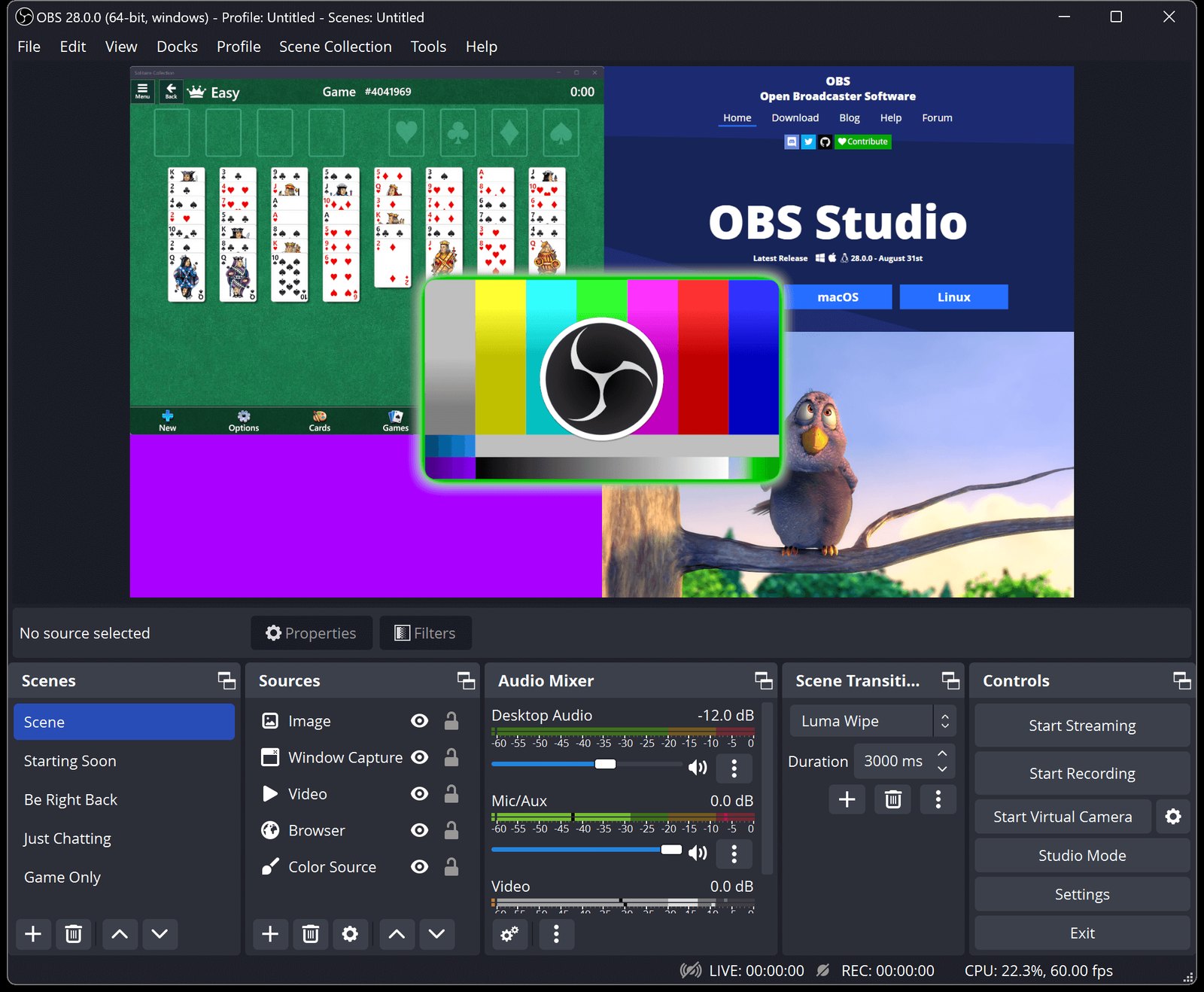
To record your screen for free without a watermark, install OBS Studio. It is free and open source, the project says it can be used for any purpose including commercial work, and it adds no logos or arbitrary time limits. OBS Project
The same app can record tutorials, capture gameplay, record a single window or the full display, and combine screen, camera and microphone.
How to start
The basic workflow has five steps.
1. Install OBS
Download it from the official OBS Studio site. It runs on Windows, macOS and Linux.
2. Create a scene
A scene holds everything that will appear in the recording. You can keep one for the desktop, one for games and one with a camera.
3. Add what you want to record
Under Sources, add the right capture: full display, a window or a game capture, depending on what you need.
4. Check the audio
Before recording, watch the meters and confirm the sound you need is coming in: microphone, system audio or game. Make a ten-second test recording, open it and listen; it is much better to find a muted mic there.
5. Record
Click Start Recording. OBS saves a file on your computer without uploading anything anywhere.
Gameplay needs more settings
Recording a presentation or a website is not the same as capturing a demanding game at 60 fps. For gameplay, resolution, frame rate, encoder, quality, file format and GPU performance all matter, and they are covered in the best OBS settings for gaming. If your PC is tight on resources, follow the OBS settings for low-end PCs.
Should you install the OBS 33 beta?
OBS 33.0 entered beta on September 27, 2026, testing changes to CEF, the plugin architecture, snapping and other parts of the app. The project is clear that it is a beta, so on a machine you use for work or streaming the stable release remains the sensible choice. OBS forum
Short answer
If you need to record your screen for free, OBS Studio: no watermark, no cut-off recordings and, when you need something more serious, the same app grows with you instead of forcing you to start over with another tool.
Sources
OBS Studio 33.0 Beta — official forum
Last verified: October 6, 2026.