Final Cut Camera Is Free: Manual Video Controls for iPhone
The standard iPhone Camera app prioritizes speed. Final Cut Camera adds manual ISO, shutter, white-balance and focus controls in a free Apple video app.
- Price
- FREE
- Version checked
- 2.4
- Update
- SEP 29, 2026
- Variable aperture
- IPHONE 18 PRO
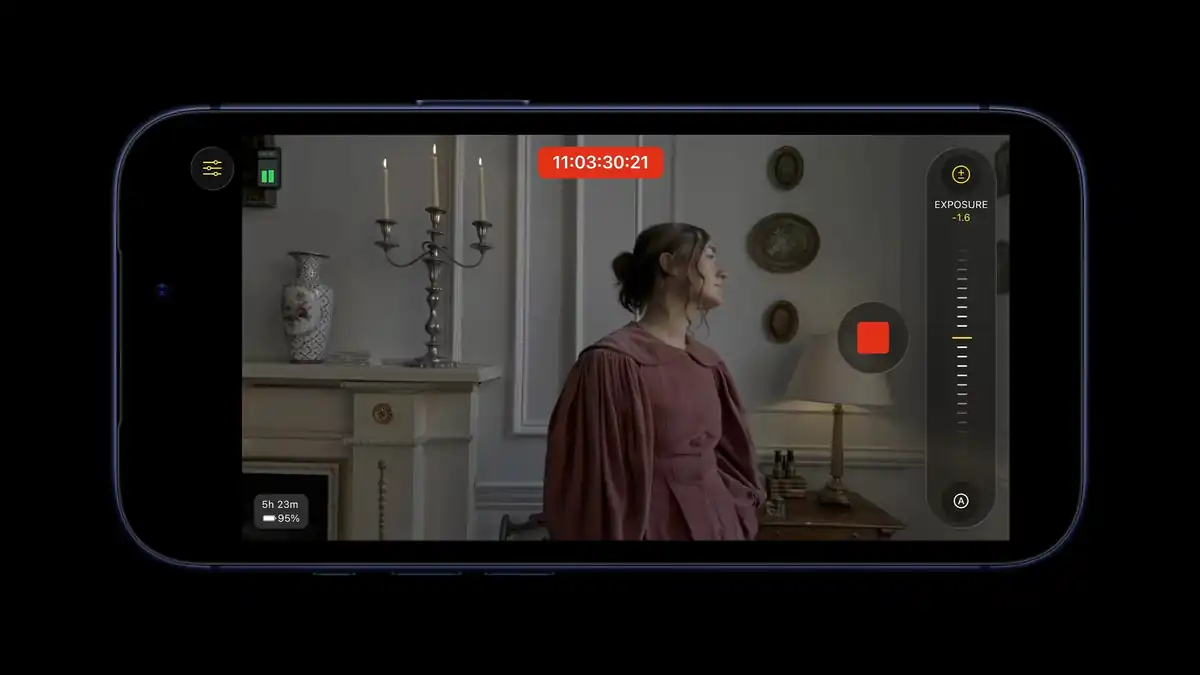
Final Cut Camera is a free Apple video app designed to give creators more control than the standard iPhone camera interface. It provides manual control over ISO, shutter, white balance and focus, alongside monitoring tools that help before recording.
Final Cut Camera is free
Apple describes Final Cut Camera as a free video app for compatible iPhones.
Version 2.4, released on September 29, 2026, expands the available monitoring and camera controls on supported hardware and iOS versions.
Manual controls
Final Cut Camera lets you set ISO, shutter, white balance and focus directly. It also includes focus peaking, false color and clipping indicators.
That makes it possible to keep exposure and focus decisions consistent between shots instead of allowing the phone to change them automatically.
Professional scopes on iOS 27
Final Cut Camera 2.4 adds more advanced monitoring with iOS 27, including a histogram, RGB Parade and professional scopes.
Those tools give you data about exposure and color when the screen alone may be misleading.
Variable aperture is limited to iPhone 18 Pro
The variable-aperture control in Final Cut Camera 2.4 applies specifically to the iPhone 18 Pro and iPhone 18 Pro Max. The app does not add variable-aperture hardware to older iPhones.
On supported models, aperture can be adjusted alongside the app’s other manual video controls.
Clean SDI output
Apple also lists clean SDI output for compatible workflows. That is aimed at external monitoring, production systems and multicamera setups where an iPhone becomes one camera inside a larger rig.
Most mobile creators will not need it, but it leaves room for a more advanced workflow.
Who it is for
Final Cut Camera makes sense when you want to keep shooting on an iPhone but need more control for YouTube, interviews, B-roll, carefully prepared Reels or Shorts, controlled lighting or multicamera work.
If you only need to pull out the phone and record immediately, the standard Camera app remains faster.
Features depend on the iPhone
Not every feature is available on every model. Variable aperture requires an iPhone 18 Pro or Pro Max, while other tools depend on the iOS version and connected hardware.
Check the exact device before relying on a feature for a production.
More mobile video guides
Compare Blackmagic Camera, see the phone Daykyri uses for mobile video and, for desktop delivery, use our DaVinci Resolve export settings for YouTube.
Sources
Last verified: October 6, 2026.